

🚫 How to Fix “No Signal” Error on IPTV Channels (2025)
You click on a channel, the screen goes black, and you see the dreaded message: “No Signal” or
“Stream Unavailable”.
Does this mean your TV is broken? No. Does it mean your IPTV provider is a scam? Probably not. It usually means the
connection between you and the server has been cut.
Here is how to reconnect it in 3 simple steps.
1. The “Channel Refresh” Trick
IPTV channels are not like cable TV. They are live streams. Sometimes the stream “token” expires, and your app
doesn’t know it.
How to fix it:
- Change the channel to something else.
- Wait 5 seconds.
- Change it back to the original channel.
This forces the app to request a “new” connection from the server. It works 50% of the time.
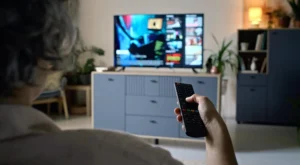
A simple channel swap can reset the stream.
2. Check Your Internet Speed (The Real Culprit)
If you see “No Signal”, it often means your internet is too slow to load the video.
The Test:
- Open the YouTube app on your TV.
- Play a 4K video.
- Does it play?
If YouTube works but IPTV doesn’t, your ISP is likely blocking the IPTV connection. You need to turn on your
VPN.
3. Update Your Playlist
Channels change all the time. Maybe “HBO” moved to a new server, but your app is still looking for the old one.
How to update in Smarters/TiviMate:
- Go to the main menu.
- Click “Update Playlist” or “Refresh TV Guide”.
- Wait for it to finish.
- Try the channel again.
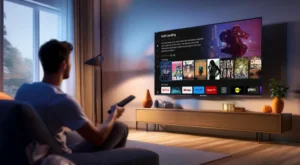
Always keep your channel list fresh.
4. Is the Server Down?
If ALL channels say “No Signal”, the problem is not you. The provider’s server has crashed.
How to check:
- Check your provider’s Telegram or Discord group.
- Ask a friend who uses the same service.
If the server is down, you just have to wait. Do not reset your router; it won’t help.
5. Change the Player Format
Some channels use a format called HLS (m3u8), while others use MPEGTS (.ts).
If your player is set to the wrong one, you get a black screen.
- Go to Settings > Stream Format.
- Change it from MPEGTS to HLS (or vice versa).
- Save and restart.
🚀 Conclusion
“No Signal” usually means a bad connection or an old playlist. Refresh your list, check your VPN, and you should be
back online in seconds.
👉 Need a stable provider with 99.9% uptime? Visit iptvsmarters-pro.net/
Happy watching! 🚫📺