

⚠️ Fix TiviMate “An Error Occurred: HttpDataSourceException” (2025)
You open TiviMate, click on a channel, and instead of the game, you see: “An Error Occurred:
HttpDataSourceException”.
This is TiviMate’s way of saying “I can’t reach the server.” It’s not your fault. Here is how to fix it.
1. The Server is Overloaded
If everyone is watching the same football match, the server gets overwhelmed and starts rejecting connections.
The Fix: Wait 5 minutes and try again. Or switch to a different channel and come back later.
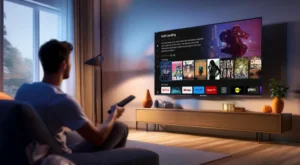
Peak hours = peak problems.
2. Change the User Agent
Some servers block TiviMate because they think it’s a bot. You can disguise it.
- Go to Settings > Playback.
- Scroll down to “User Agent”.
- Change it to “VLC/3.0.0” or “Kodi/19.0”.
This tricks the server into thinking you are using a different app.
3. Update Your Playlist
The channel URL might have changed. Refresh your playlist to get the new link.
- Go to Settings > Playlists.
- Long-press on your playlist.
- Select “Update”.
4. Use a VPN
Your ISP might be blocking the connection. Turn on your VPN and the error will disappear instantly.
🚀 Conclusion
Change the User Agent to VLC, update your playlist, and turn on your VPN. Problem solved.
👉 Need a TiviMate-optimized provider? Visit iptvsmarters-pro.net/
Happy streaming! ⚠️📺