

📺 How to Install IPTV on Samsung Tizen TV (2025 Guide)
Samsung TVs are amazing, but they run on “Tizen OS”, not Android. This means you cannot just open the Google Play
Store and download any app you want.
But don’t worry. You can still watch IPTV on your Samsung TV. You just need to know which apps work and how to find
them. Here is the complete guide.
Method 1: The Official App Store (Easiest)
Samsung has approved a few IPTV players. This is the safest way to watch.
- Press the Home button on your remote.
- Scroll left to Apps.
- Click the Search icon (Magnifying Glass).
- Type “IPTV Smarters Pro” or “SmartOne IPTV”.
- Click Install.
Note: If you can’t find Smarters, try “IBO Player” or “Nanomid”. They are excellent alternatives.
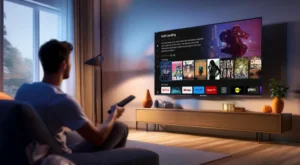
The App Store has hidden gems.
Method 2: The USB Method (For Experts)
If the app you want is missing from the store, you can “sideload” it using a USB stick. This works great for
Smart IPTV (SIPTV).
- On your computer, download the Tizen Widget file (usually a .zip file) from the app’s official
website. - Format a USB stick to FAT32.
- Extract the zip file to the root folder of the USB stick.
- Turn on your TV and plug in the USB.
- The app should appear in your “My Apps” list automatically.
Top 3 Apps for Samsung TV
1. IPTV Smarters Pro
The best interface. It looks like Netflix. If it’s available in your region, use this one.
2. IBO Player
Very fast and stable. It costs about $8/year after a 7-day trial, but it is worth it for the speed.
3. SmartOne IPTV
A lightweight player that works well on older Samsung TVs. It handles large playlists very smoothly.
Samsung’s screen quality makes IPTV look incredible.
⚠️ Common Issues & Fixes
“Mac Address Not Found”
Most Samsung apps use your TV’s “MAC Address” to activate. You must go to the app’s website (on your phone/PC),
enter this code, and upload your playlist URL there.
“App Disappeared”
If you installed via USB, you must keep the USB plugged in (on some older models). Or, turn off “Auto Update Apps”
in settings.
💡 Expert Tip
“Samsung TVs have very little storage. If your playlist is huge (20,000 movies), the app might crash. Ask your
provider for a ‘Lite’ playlist with just the channels you actually watch.”
🚀 Conclusion
You don’t need a Fire Stick to enjoy IPTV on Samsung. Just download Smarters or IBO
Player directly.
👉 Need a subscription that works on Tizen? Visit iptvsmarters-pro.net/
Happy watching! 📺✨