

📲 How to Cast IPTV from Phone to TV (2025 Guide)
Don’t have a Fire Stick? No problem. You can run IPTV on your phone and “cast” it to your TV wirelessly.
Here is how to do it using Chromecast or AirPlay.
Method 1: Chromecast (Android & iPhone)
You need a Chromecast device plugged into your TV, or a TV with “Chromecast Built-in”.
- Install GSE Smart IPTV or IPTV Smarters on your phone.
- Open the app and play a channel.
- Look for the Cast icon (a square with Wi-Fi waves) in the top corner.
- Tap it and select your TV.
The video will jump from your phone to the TV.
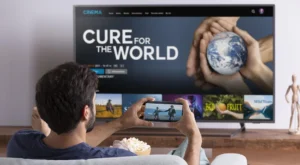
Phone to TV in one click.
Method 2: AirPlay (iPhone to Apple TV/Samsung/LG)
If you have an iPhone and a modern Smart TV, you can use AirPlay.
- Open GSE Smart IPTV on your iPhone.
- Play a channel.
- Tap the AirPlay icon.
- Select your TV.
Method 3: Web Video Caster (The Universal Fix)
If the official apps don’t work, download “Web Video Caster”.
It’s a browser that can cast ANY video to ANY TV (Roku, Fire TV, Samsung, LG, etc.). Just paste your M3U link in its
browser.
🚀 Conclusion
Casting is great for travel or visiting friends. Just make sure your phone and TV are on the same Wi-Fi.
👉 Need a mobile-friendly playlist? Visit iptvsmarters-pro.net/
Happy casting! 📲📺