

📱 Best IPTV Players for Roku Devices (2025)
Roku is great for Netflix and Hulu, but terrible for IPTV. Why? Because Roku blocks most IPTV apps from their store.
But there are still a few ways to watch IPTV on Roku. Here are your options.
Option 1: M3U Playlist Player
This is the only IPTV app officially available on Roku. It’s basic, but it works.
- Go to the Roku Channel Store.
- Search for “M3U Playlist Player”.
- Install it.
- Enter your M3U URL.
Note: It has no EPG and no VOD. Just live channels.
Limited but functional.
Option 2: Screen Mirroring from Your Phone
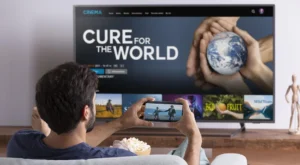
Install IPTV Smarters on your Android phone, then mirror the screen to your Roku.
- Enable “Screen Mirroring” on your Roku.
- Open IPTV Smarters on your phone.
- Cast the screen to Roku.
Honest Advice: Don’t Use Roku for IPTV
Roku is designed to block IPTV. If you’re serious about IPTV, buy a Fire Stick or Android Box instead.
🚀 Conclusion
Roku + IPTV = Bad combination. Switch to Fire Stick for a better experience.
👉 Need device recommendations? Visit iptvsmarters-pro.net/
Happy streaming! 📱📺